Ask not what Siri can do for you
iOS 27 introduces Siri AI, and Apple’s really excited about it. So excited that your app can get new “Ask Siri” options in UIMenus with no apparent opt out.
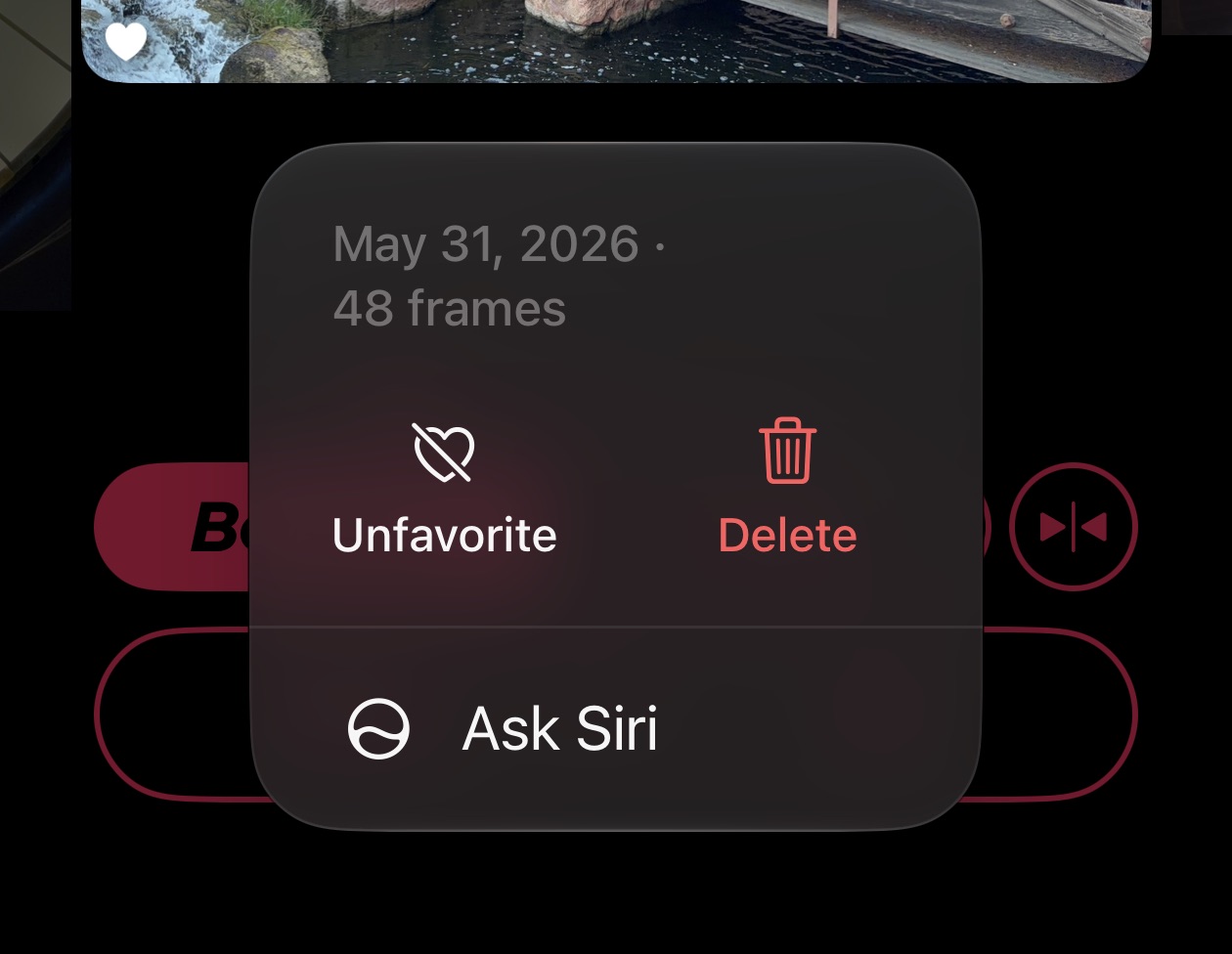
It seems like the OS is using some heuristics for choosing when to show this and when not to. I see it in some places in my apps, and not in others.
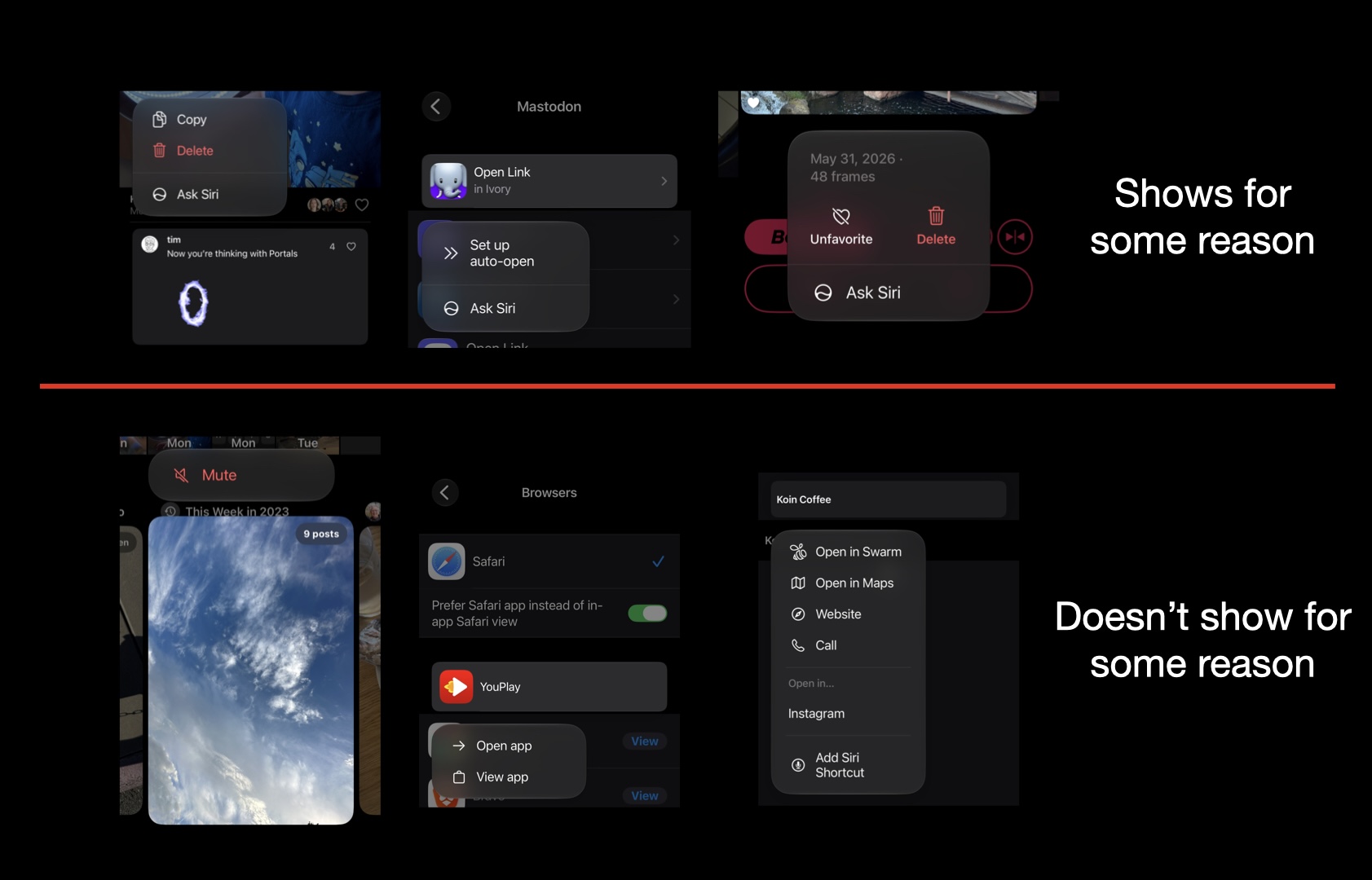
Kind of odd that there’s not an official way to opt out of these, so I did some digging to find if there’s some way to omit them.
I discovered that these UIActions are a bit odd, they lack a title and have a transient identifier.
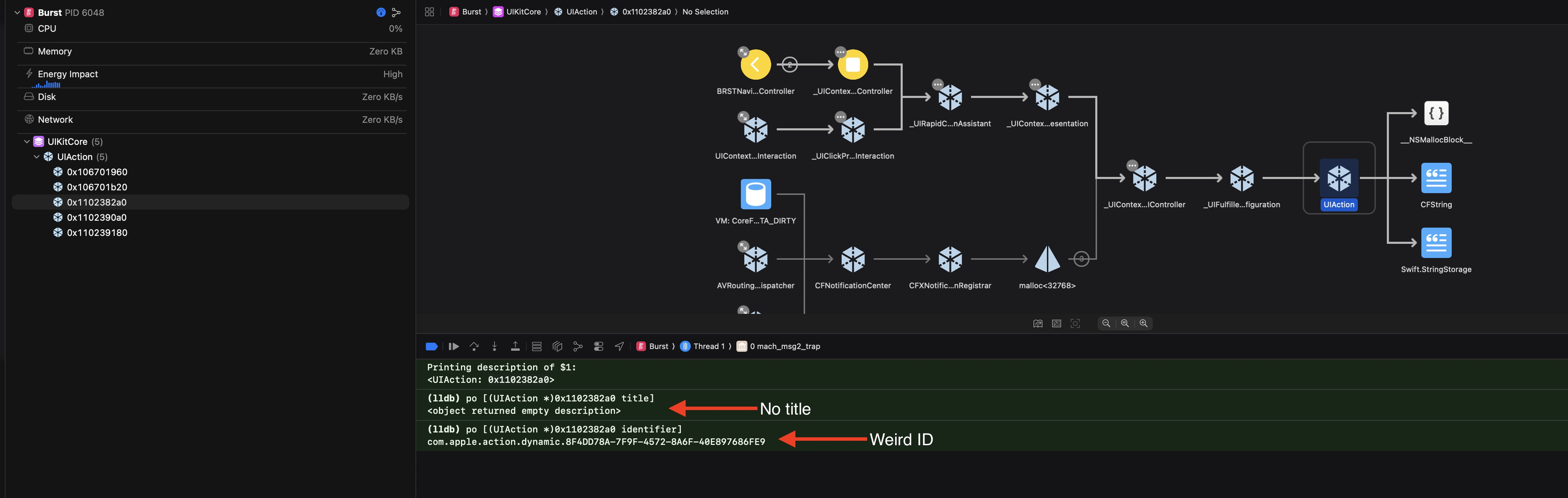
However, they are all created using the +_intelligentAssistantActionWithIdentifier:configuration: class method on UIAction.
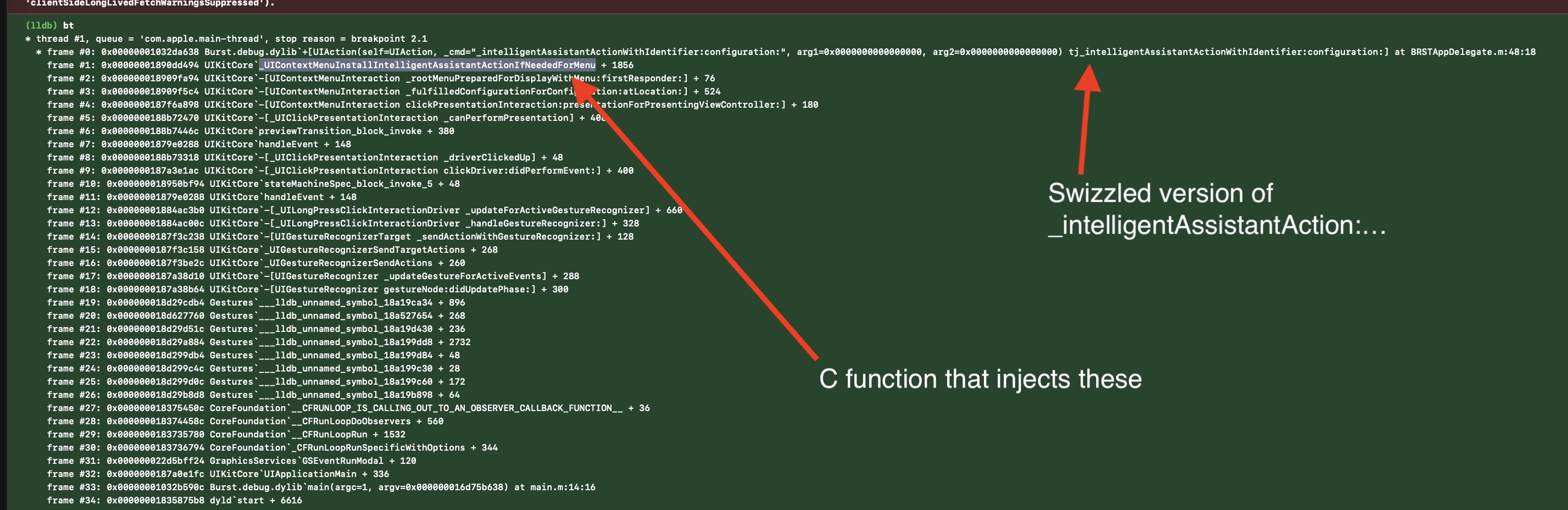
The injection of these happens via a C function after you’ve been queried for your menu items, so the best way I’ve found thus far to omit them is by swizzling +_intelligentAssistantActionWithIdentifier:configuration: to return nil or to hide it using UIMenuElementAttributesHidden.

Of course swizzling private methods should be done cautiously, but if you feel inclined this is a way to omit those “Ask Siri” entries!